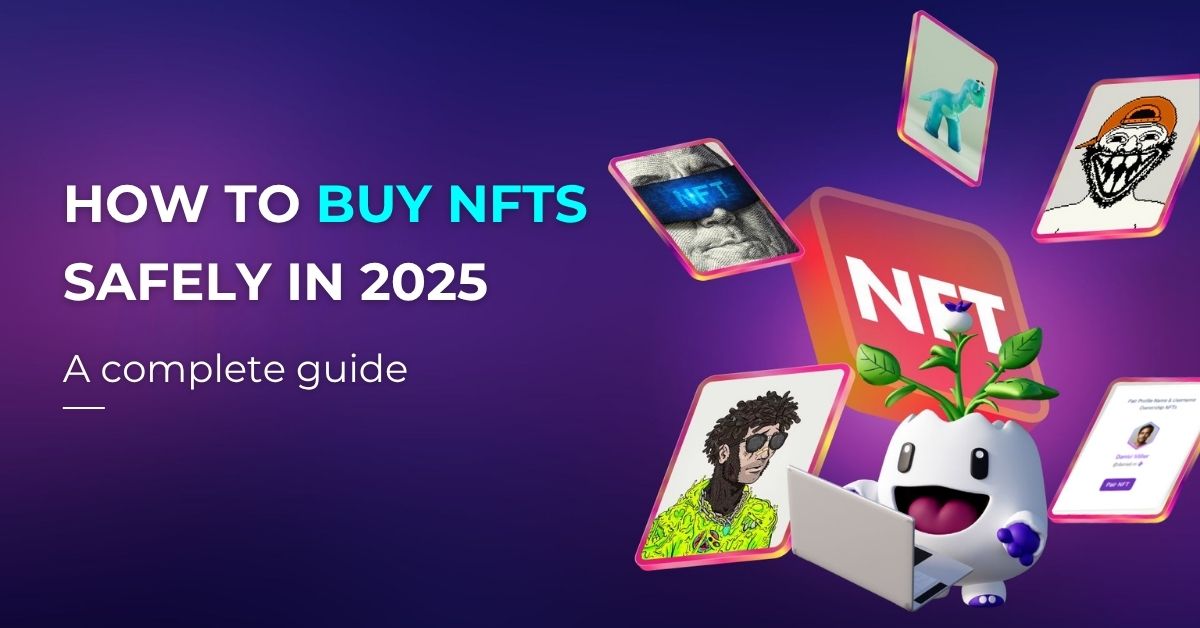
NFTs—short for non-fungible tokens—have exploded in popularity in recent years, transforming how we own, trade, and interact with digital assets. From digital art and gaming items to membership passes and social identity, NFTs are redefining what “ownership” means in the digital world.
If you’re curious about how to buy NFTs, you’re not alone. Whether you’re a collector, a creator, or someone exploring new investment opportunities, NFTs offer a way to access exclusive content, support artists directly, or even earn rewards through blockchain-backed ownership.
But diving into the NFT space can be confusing—especially for beginners. How do NFT transactions work? Where should you buy them? And what should you watch out for?
In this guide, we’ll break it all down step-by-step. Let’s get started with the basics before you make your first NFT purchase.
What You Need to Know Before Buying NFTs
Before you start browsing NFT marketplaces or connecting your crypto wallet, it’s important to understand what NFTs actually are and what makes them valuable.
What Are NFTs?
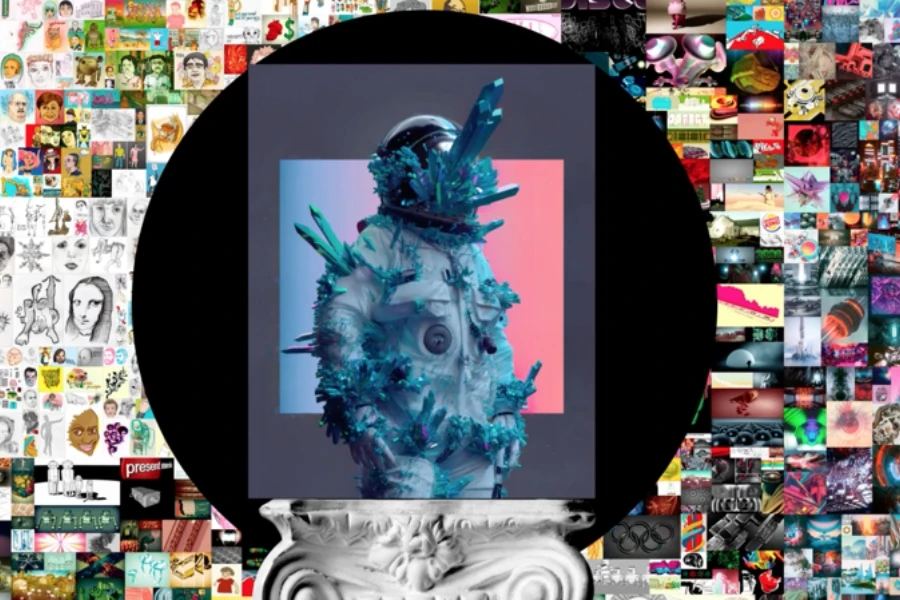
NFT stands for non-fungible token. Unlike cryptocurrencies such as Bitcoin or Ethereum, which are interchangeable (fungible), each NFT is unique and cannot be exchanged on a one-to-one basis with another. NFTs are digital assets that represent ownership of something specific—like a piece of art, music, in-game item, virtual land, or even a username or identity.
NFTs are powered by blockchain technology, which means each token is verified, traceable, and secured by a decentralized network.
Are NFTs Just Digital Art?
While NFTs first gained attention through digital art and collectibles, their applications have grown rapidly. Today, NFTs are used in a wide range of industries, including:
- Gaming: In-game assets, characters, skins, or land that can be traded or upgraded
- Music and Media: Exclusive content or royalty-sharing models
- Memberships and Access: NFTs as keys to private communities or premium features
- Digital Identity: Unique usernames, domain names, or social handles as NFTs
- Creator Economy: Allowing artists, writers, and influencers to monetize directly
What Are You Really Buying?
When you buy an NFT, you’re not necessarily purchasing the file (like an image or video)—you’re buying a verifiable proof of ownership tied to that asset. The NFT proves you own the rights associated with that token, whether it’s access, licensing, resale rights, or community perks.
Before buying, always check:
- What rights come with the NFT (Can you resell it? Use it commercially?)
- Whether it’s stored on-chain or off-chain (Storage method can affect longevity)
- The reputation of the project or creator
Should You Buy NFTs to Invest?
Many buyers view NFTs as speculative investments—hoping to buy low and sell high. While some NFTs have appreciated in value, the market remains volatile and unregulated. Buying NFTs should be approached with a mix of curiosity, research, and realistic expectations.
If you’re new, start small. Think of your first purchases as a way to learn, not just profit.
Step-by-Step Guide: How to Buy NFTs
Buying your first NFT might feel overwhelming, but the process is quite straightforward once you understand the basics. Here’s a simple, step-by-step guide to help you get started.
Step 1: Set Up a Crypto Wallet
Before buying or selling NFTs, you’ll need a crypto wallet. This is where you store your cryptocurrency, manage your NFT collection, and interact with marketplaces. There are multiple types of wallets to choose from depending on your needs.
Types of Crypto Wallets
To get started, consider these three main wallet types:
Browser Extension Wallets
These connect directly to your web browser and are commonly used on desktop.
- MetaMask: The most widely used Ethereum-compatible wallet.
- Coinbase Wallet (extension): Works well with the Coinbase ecosystem and supports NFT dApps.
Mobile Wallets
Installed on your smartphone, these offer convenience and on-the-go access.
- Trust Wallet: Easy to use and supports multiple chains.
- Rainbow Wallet: Known for its clean interface, ideal for Ethereum NFTs.
Hardware Wallets
Physical devices used for cold storage of crypto and NFTs — the most secure option for high-value assets.
- Ledger
- Trezor
Wallet Security Tips
- Back up your seed phrase (a 12- or 24-word recovery phrase). Store it offline in a safe place.
- Never share your private key or seed phrase — even with customer support.
- Use strong passwords and enable two-factor authentication (2FA) wherever possible.
- For added protection, consider a multi-signature wallet or MPC-based solution (where keys are split across devices).
For more tips, check out: Private Key Best Practices: How to Keep Your Crypto Safe
Step 2: Buy Cryptocurrency
To purchase NFTs, you need cryptocurrency — most commonly Ethereum (ETH), though some platforms use other tokens like Solana (SOL), Polygon (MATIC), or BIC Token (on Beincom).
Where to Buy Crypto
You can buy crypto using fiat (like USD, VND, EUR) on reputable centralized exchanges (CEX) or directly within some wallets.
Popular crypto exchanges:
- Binance – Wide range of crypto, low fees
- Coinbase – Easy to use, good for beginners
- Kraken – Strong reputation and advanced features
- OKX / KuCoin / Bybit – Common choices for global users
After purchase, transfer your crypto to your wallet for safekeeping and NFT use. Most exchanges offer a “Withdraw” function where you paste your wallet address and confirm the transaction.
Important Tips When Buying Crypto
- Double-check wallet address before sending — crypto transactions are irreversible.
- Buy a bit more ETH than the NFT price to cover gas fees.
- Avoid holding crypto on exchanges long-term — transfer to your wallet for better security.
Step 3: Choose an NFT Marketplace
An NFT marketplace is where NFTs are created, bought, sold, or traded. These platforms connect buyers and sellers, offering tools for discovery, auctions, and even minting. Here are some suggestions for where to buy NFTs
Popular NFT Marketplaces
- OpenSea: The largest NFT marketplace, primarily for Ethereum-based NFTs. It supports a wide range of digital assets: art, collectibles, domain names, music, and more.
- Blur: Designed for experienced users and NFT traders, Blur provides real-time data, portfolio analytics, and rapid batch listing tools.
- Magic Eden: Originally launched for Solana NFTs, Magic Eden now supports multiple chains. It’s well-known for gaming NFTs and community collectibles.
- Rarible: A decentralized and community-driven marketplace. Rarible allows users to set up their own storefronts, with flexible royalty settings.
Factors to Consider
When choosing an NFT marketplace, consider the following:
- Blockchain compatibility: Ethereum, Solana, Polygon, BNB Chain, and others have different ecosystems, gas fees, and wallet needs.
- Supported wallets: Not all marketplaces support every wallet. Check for compatibility before connecting.
- User interface and experience: Some platforms are beginner-friendly (e.g., OpenSea), while others suit power users (e.g., Blur).
- Community and trust: Marketplaces with active communities and transparent development teams are generally more trustworthy.
- Fee structure: Look into platform fees, royalty cuts, and gas fees involved in transactions.
- Security and decentralization: Consider whether the platform is custodial or non-custodial, and how it handles user assets.
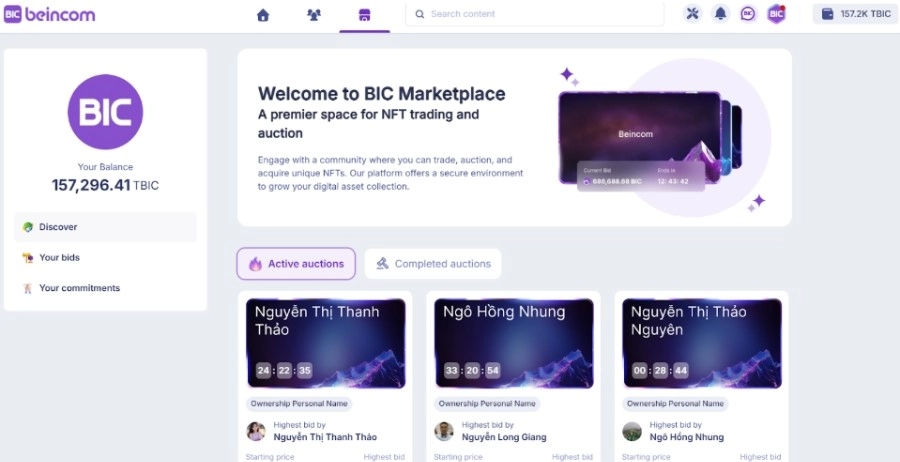
Introducing Beincom NFT Marketplace – a marketplace deeply integrated into the Beincom platform. Focuses on:
- Digital identity NFTs (usernames, communities, badges)
- Passive income from minting activity (via bNFT/oNFT sharing)
- Community-first tools and monetization opportunities
- Full support of BIC Wallet and BIC Token for seamless interaction
Start exploring Beincom’s NFT ecosystem today and unlocking your web3 earning potentials with Beincom. Learn more at: Unlock Earning Opportunities with Beincom NFT Marketplace
Step 4: Browse and Select NFTs to Buy
Once your wallet is set up, your crypto is funded, and you’ve chosen a marketplace, you’re ready to explore NFTs. This step involves finding projects or items that match your interests, goals, or investment strategy.
How to Discover NFTs
Most marketplaces provide search tools, filters, and curated collections. You can browse by:
- Category: Art, music, photography, domain names, game items, digital identity NFTs (like on Beincom), and more.
- Trending or Featured: Collections with the highest trading volume or engagement.
- Price or Auction: Buy-now listings or timed auctions where you place bids.
You can also discover NFT tokens through social channels like:
- Twitter/X
- Discord communities
- Creator pages or NFT DAOs
- NFT analytics platforms (e.g., NFTGo, Dune dashboards)
What to Look for Before Buying
Before making a purchase, consider:
- Creator or project credibility: Is the creator known? Is there a roadmap or long-term vision?
- Scarcity and supply: How many editions exist? 1-of-1 art is rarer than 10,000-item collections.
- Utility: Does the NFT offer benefits like staking rewards, social access, game features, or airdrop eligibility?
- Ownership rights: Some NFTs come with IP rights or commercial usage rights — others don’t.
- Transaction history: Look at previous sales, price trends, and buyer activity.

Step 5: Make the Purchase
Once you’ve found an NFT you want, it’s time to complete the transaction. The process is fairly straightforward but requires careful attention to avoid errors or scams.
How to Buy an NFT
- Connect your wallet: On the NFT listing page, click “Connect Wallet.” Most marketplaces will automatically detect compatible wallets (e.g., MetaMask, Trust Wallet).
- Review the listing:
– Fixed price: Click “Buy Now” and follow the prompts.
– Auction: Place a bid and monitor the status until the auction ends. - Check total cost: Factor in the gas fee — a network fee for processing the transaction. Ethereum fees can fluctuate significantly depending on network congestion.
- Approve and confirm
Your wallet will prompt you to approve the transaction. Double-check all details and then sign the transaction to complete the purchase. - Wait for confirmation
Transactions usually process within a few seconds to a few minutes. Once confirmed, your NFT will appear in your wallet or profile.
Important Reminders
- Be cautious with pop-ups and fake links. Only approve transactions from verified sources.
- Check if the NFT is minted or just a placeholder listing. Some marketplaces support pre-mint listings.
- Use platforms with clear royalty info and transaction records.
Step 6: Store and Manage Your NFTs
After purchasing an NFT, it becomes part of your digital collection. While NFTs are technically stored on the blockchain, access and interaction depend on your wallet and the platform you use.
Where Are NFTs Stored?
NFTs are associated with your wallet address and viewable on-chain. However, to interact with or showcase them, you’ll typically use:
- Your crypto wallet: Most wallets (e.g., MetaMask) include an NFT tab where you can view your owned tokens.
- NFT marketplaces: Once connected, you can see your collection, list NFTs for sale, or transfer them to others.
- Portfolio trackers: Platforms like DappRadar or Zapper help visualize your assets across wallets and networks.
How to Manage Your NFTs
- Organize your collection: Some wallets let you group NFTs by type (art, identity, gaming).
- Transfer or gift NFTs: You can send NFTs to another wallet address using your wallet’s “Send” function.
- Sell or list for resale: Return to your chosen marketplace, set a price or start an auction.
- Use in apps or games: Certain NFTs can be used in play-to-earn games, social platforms (like Beincom), or metaverse spaces.
Security Tips
- Never share your wallet seed phrase.
- Double-check the receiver’s address when transferring.
- Avoid clicking unknown links promising airdrops or rewards — phishing scams are common.
Explore a New Era of NFTs with Beincom
Whether you’re a beginner or an experienced collector, Beincom offers a fresh, utility-driven approach to NFTs. Instead of speculative JPEGs, NFTs on Beincom represent something more meaningful: your digital identity, your community role, and even your ability to earn passive income.
On the Beincom NFT Marketplace, you can:
- Own unique Web3 identities with oNFTs (like usernames, community names, or profile handles)
- Earn passive rewards through bNFT sharing every time matching oNFTs are minted
- Support creators and community projects through direct NFT-based monetization
- Trade safely with integrated BIC Wallet and user-owned assets
- Unlock features and gain influence in the Beincom ecosystem using your NFTs
All seamlessly powered by the BIC Token, with full wallet and marketplace integration built into the social platform.
Ready to explore the future of social NFTs?
FAQs
Q1. Do I need to be tech-savvy to buy NFTs?
No. While understanding blockchain basics helps, most NFT platforms are now designed for beginners. User-friendly wallets like BIC Wallet and guided marketplaces (like Beincom) make NFT onboarding much easier.
Q2. Can I buy NFTs without using Ethereum?
Yes. Many blockchains now support NFTs — including Solana, Polygon, BNB Chain, and Beincom’s ecosystem (BIC Token). These networks often have lower fees and faster transactions compared to Ethereum.
Q3. What is “minting” an NFT?
Minting refers to the process of creating a new NFT on the blockchain. You can mint NFTs directly from a project’s website or a marketplace that offers this feature. On Beincom, users can mint oNFTs (like usernames or communities) to claim their digital identity.
Q4. How are NFTs taxed?
In many countries, buying, selling, or profiting from NFTs may be subject to capital gains tax or income tax. Always consult a tax advisor familiar with cryptocurrency regulations in your region.
Q5. What if the NFT I buy becomes worthless?
NFTs are speculative assets — just like collectibles or art — and their value isn’t guaranteed. Always research thoroughly before investing and avoid spending more than you can afford to lose.
Q6. Can I resell NFTs I’ve purchased?
Yes. Most NFTs can be resold on the same marketplace where they were purchased — or on others that support the same blockchain. Some platforms even let you set royalties if you’re the original creator.
Q7. How do I verify an NFT’s authenticity?
Check for:
- Verified creator or collection badge
- On-chain metadata and contract details
- Official links shared by the project